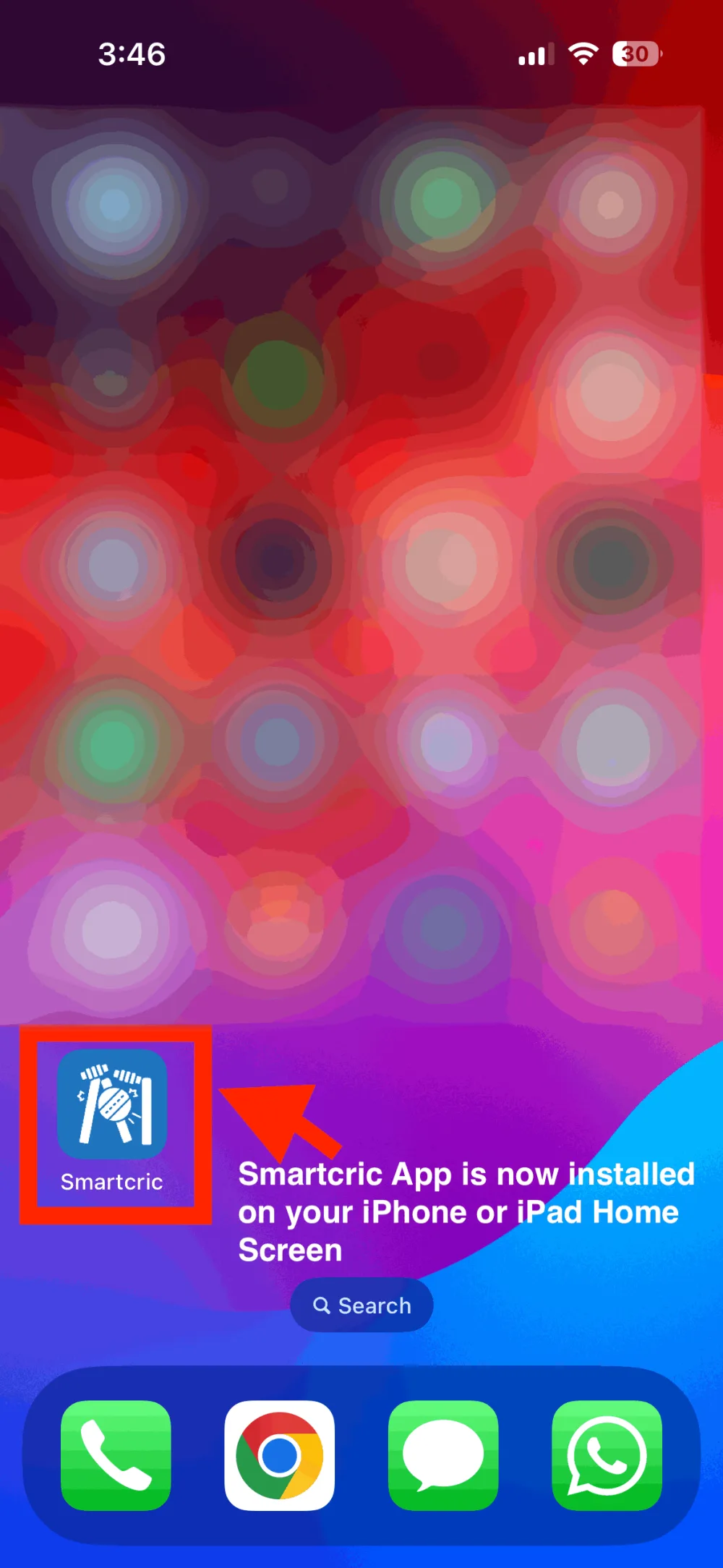
Add Touchcric to your iPhone or iPad
Touchcric runs in Safari as it is. Putting it on the Home Screen saves typing the address: the icon opens the match tiles full screen, like an app, with nothing downloaded. Three taps, under a minute.
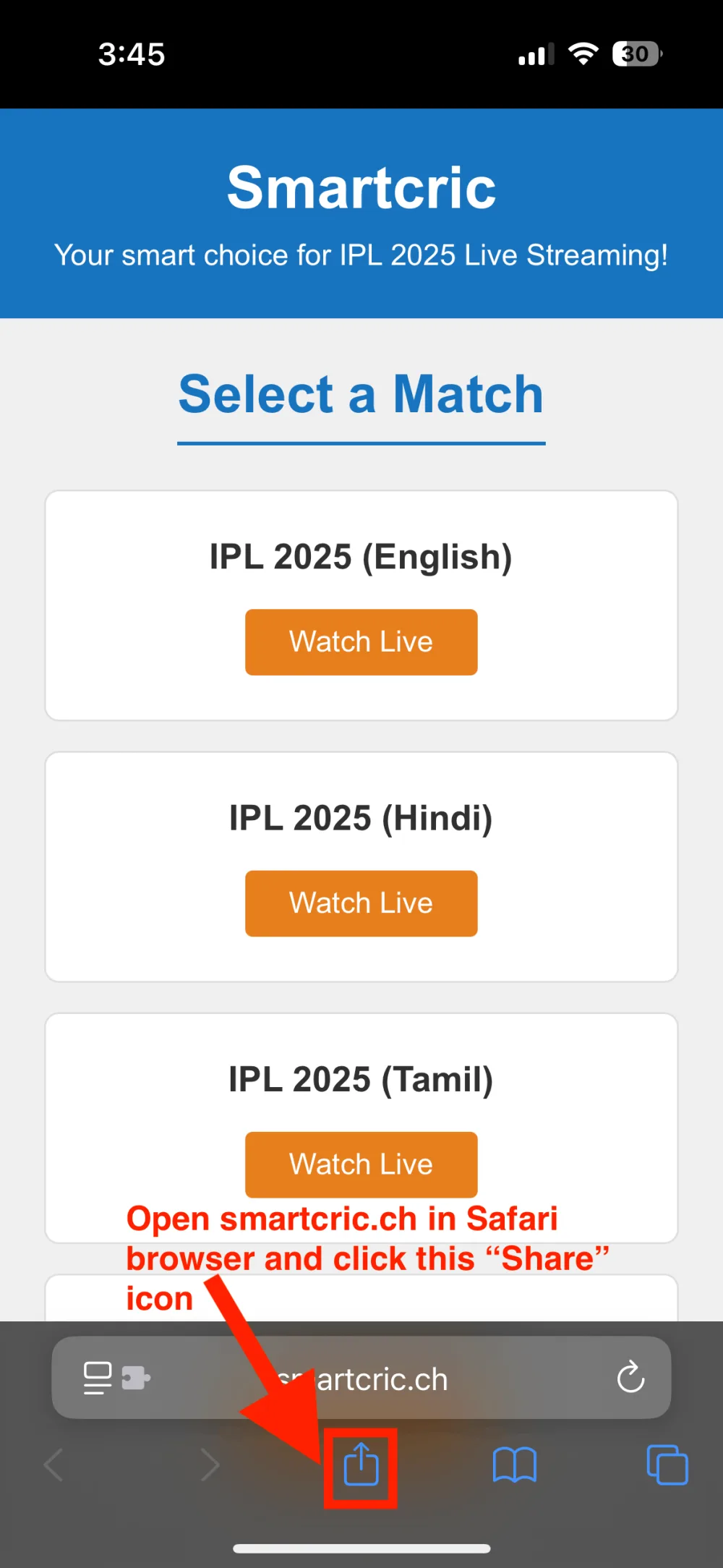
1Open Touchcric in Safari and tap Share
Go to touchcric.is in Safari (Safari, not Chrome; only Safari can do this). Tap the Share button, the square with an arrow pointing up, at the bottom of the screen.
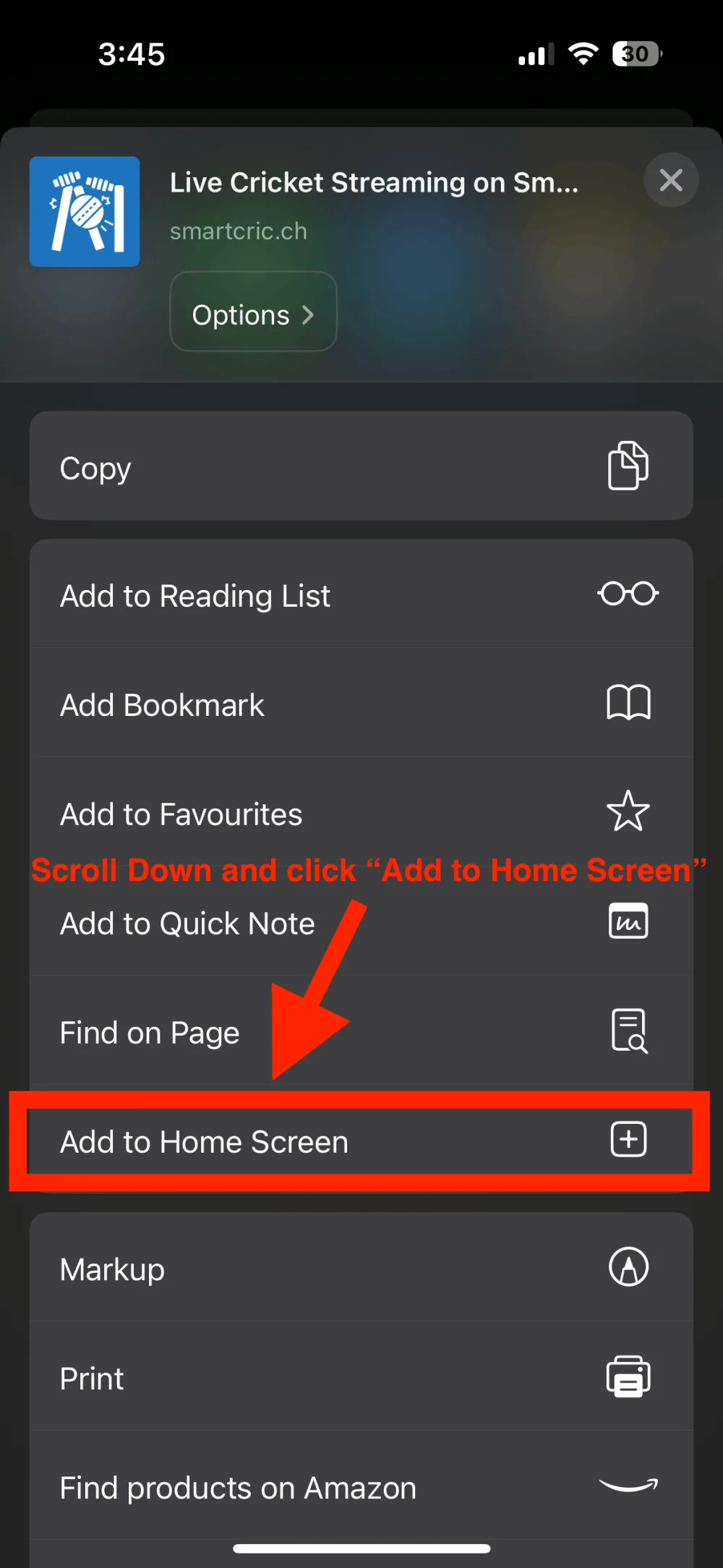
2Tap “Add to Home Screen”
Slide the sheet up until Add to Home Screen comes into view, then tap it.
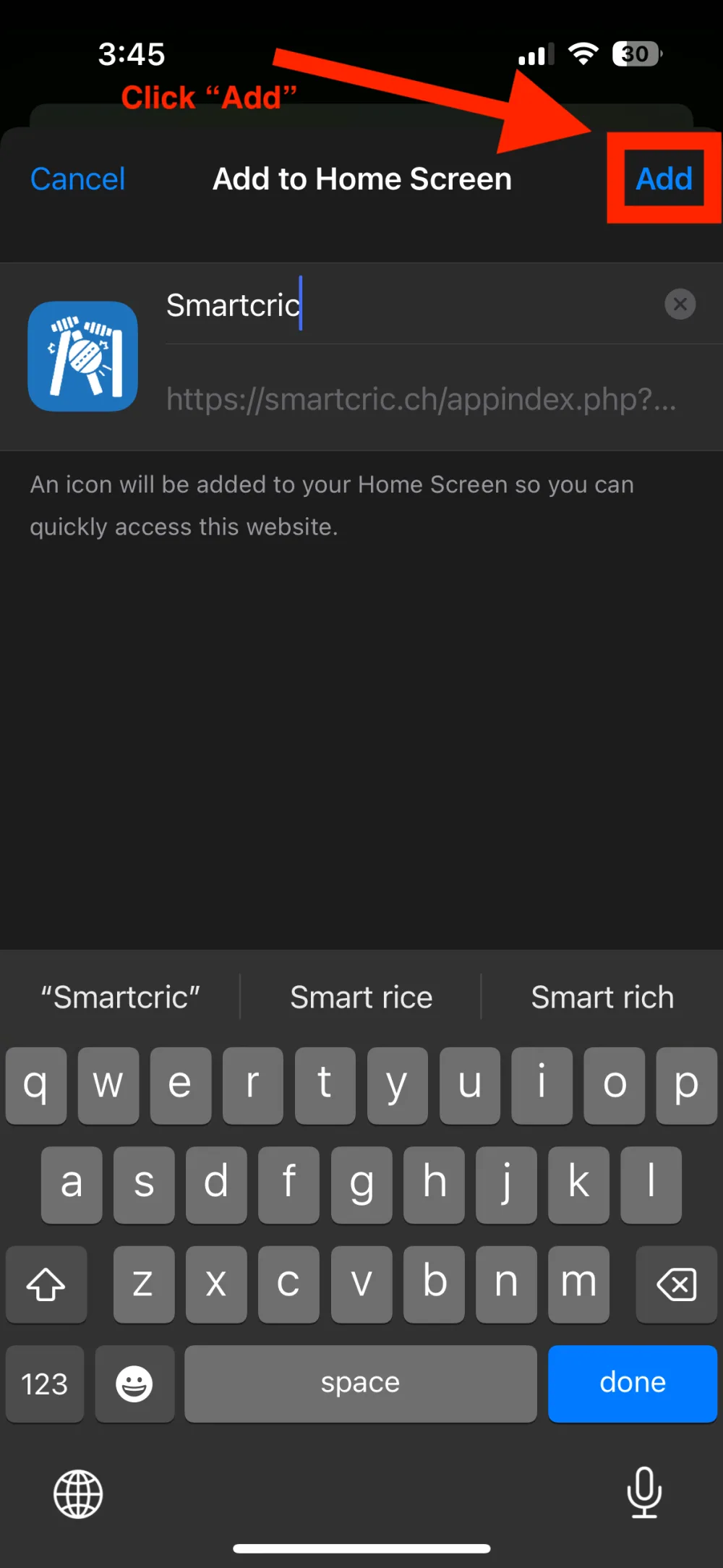
3Tap Add
Keep the name as it is and tap Add in the top right corner.
✓Done
The Touchcric icon is on your Home Screen. Tap it when a match is on and it opens straight to the tiles.